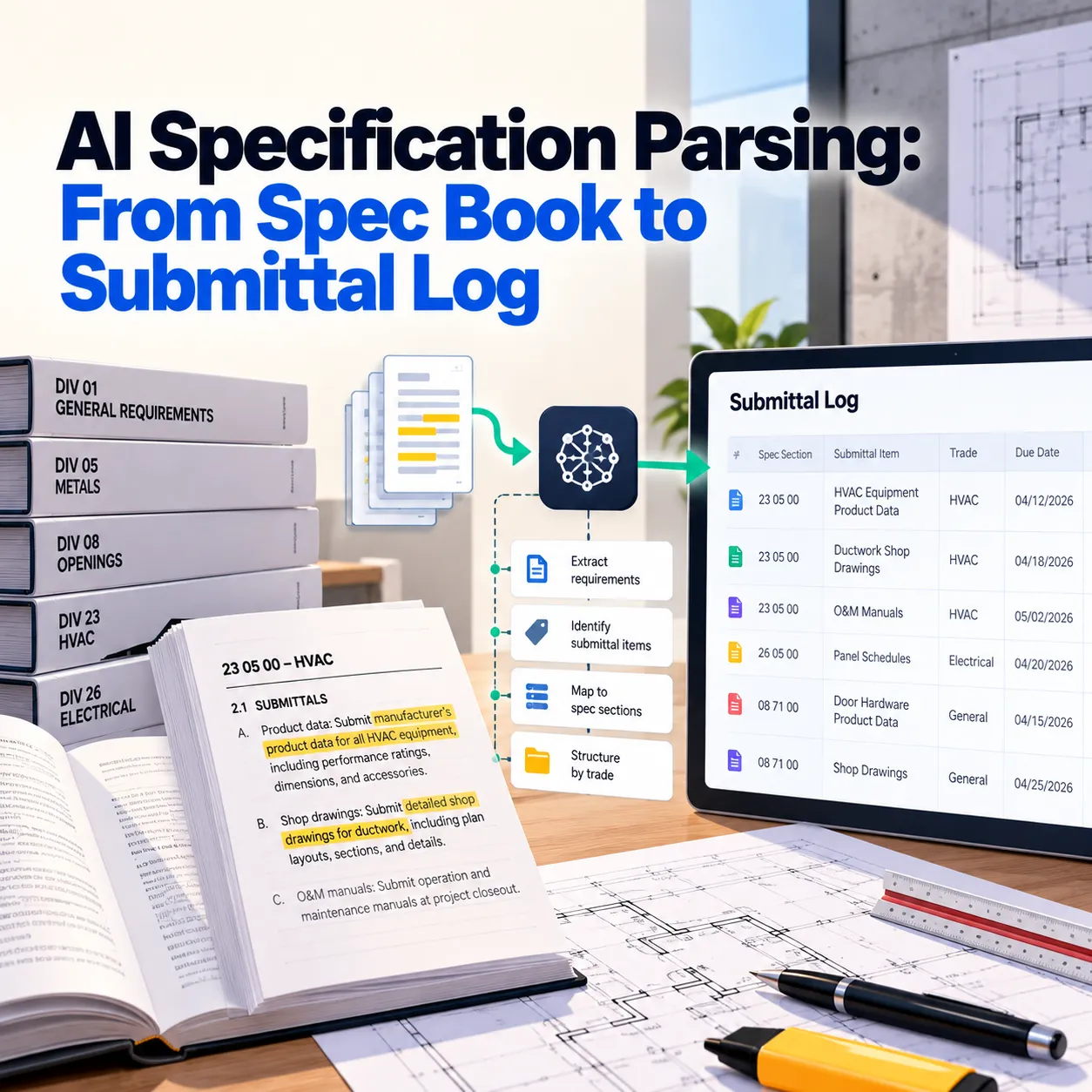
A mid-size commercial project manual can exceed a thousand pages across dozens of spec sections. AI specification parsing reads those sections and extracts every submittal, product, test, and warranty into structured data tied to its source paragraph, so teams can focus on conflicts and decisions instead of manually copying.
Introduction
A project manual on a mid-size commercial job can run past a thousand pages, spread across dozens of spec sections. Somewhere in those pages are every submittal you owe, every product the architect will accept, every warranty, every field test, and a few leftover lines from a master spec that nobody edited.
Most teams find those items the slow way: someone reads each section, copies requirements into a submittal log, and hopes nothing gets missed. AI specification parsing does that reading and copying, with a citation for every item, so your team can spend its time on the conflicts and decisions the specs create.
This guide shows how spec parsing works on one real-world section type, what it produces, and how the output turns into a submittal register and a procurement schedule.
What Is AI Specification Parsing?
AI specification parsing reads a project manual and turns its requirements into structured data: scope items, products and manufacturers, submittals, quality requirements, tests, and warranties. Each item is tied to the section and paragraph it came from, so anyone can check it against the original text in seconds.
How a Spec Section Is Organized
Most US specifications follow CSI MasterFormat for numbering and SectionFormat for structure. Every section has three parts, and each one feeds a different team.
| Part | What it covers | Who uses it |
|---|---|---|
| Part 1: General | Related sections, submittals, quality assurance, warranties | Project managers and project engineers |
| Part 2: Products | Manufacturers, materials, performance, finishes | Estimators, buyers, and subcontractors |
| Part 3: Execution | Installation, field testing, cleaning, protection | Superintendents and installers |
Because the structure repeats across sections, a parser can find the same kind of requirement in the same place every time.
Example: Parsing an Aluminum Storefront Section
The Spec Excerpt
Here's a shortened version of what Section 08 41 13, Aluminum-Framed Entrances and Storefronts, might contain:
1.2 RELATED SECTIONS
  A. Section 07 92 00 - Joint Sealants
  B. Section 08 44 13 - Glazed Aluminum Curtain Walls

1.4 ACTION SUBMITTALS
  A. Product Data: For each type of product.
  B. Shop Drawings: Include plans, elevations, sections, and
     attachment details.
  C. Samples: For each exposed finish.

1.7 WARRANTY
  A. Manufacturer's warranty on finish: [10] [20] years.

2.1 MANUFACTURERS
  A. Basis of Design: Kawneer Trifab 451T.
  B. Acceptable: YKK AP, Tubelite.
  C. Substitutions: Per Section 01 25 00.

2.4 FINISHES
  A. Class I clear anodized, AA-M12C22A41.

3.3 FIELD QUALITY CONTROL
  A. Field water testing per AAMA 501.2 on two locations
     selected by Architect.
Example excerpt.
What the Parser Extracts
| Requirement | Extracted value | Source |
|---|---|---|
| Submittals | Product data, shop drawings, finish samples | 1.4.A to 1.4.C |
| Basis of design | Kawneer Trifab 451T | 2.1.A |
| Acceptable manufacturers | YKK AP, Tubelite | 2.1.B |
| Substitutions | Allowed through Section 01 25 00 procedures | 2.1.C |
| Finish | Class I clear anodized, AA-M12C22A41 | 2.4.A |
| Field test | AAMA 501.2 water test at 2 locations | 3.3.A |
| Warranty | Finish warranty, length unclear | 1.7.A |
What this gives you: every requirement your PM, buyer, and super need from this section, in one table, with a paragraph number for each.
Items Flagged for Review
The parser also found three problems a quick read might miss:
- Unedited master spec text: the warranty paragraph still shows "[10] [20] years," which means the architect never chose. That needs an RFI before you price the warranty
- Reference to a missing section: 1.2.B points to Section 08 44 13, Glazed Aluminum Curtain Walls, but that section isn't in this project manual. It may be leftover text, or a missing section
- Spec and drawing conflict: the elevations on A-401 call out a dark bronze finish, while 2.4.A specifies clear anodized
Our view is that a spec parser should extract and flag, never decide. Picking 10 years or 20, or choosing between bronze and clear, is a question for the architect, and the parser's job is to make sure the question gets asked.
From Spec Sections to a Submittal Register
Every submittal requirement becomes a line in your submittal register, already labeled with its section, paragraph, and type.
| Section | Submittal | Type | Source |
|---|---|---|---|
| 08 41 13 | Storefront product data | Action | 1.4.A |
| 08 41 13 | Storefront shop drawings | Action | 1.4.B |
| 08 41 13 | Finish samples | Action | 1.4.C |
| 08 41 13 | Field water test reports | Informational | 3.3.A |
| 08 41 13 | Finish warranty | Closeout | 1.7.A |
Example register entries.
What this gives you: five register lines from one section, with no retyping. Across a full project manual, that usually means hundreds of lines built in minutes, each one traceable to the spec.
Working Backward From the Need-By Date
Once submittals are in a register, parsed data can also tell you when each one has to go in. Here's the math for the storefront, using example durations:
| Step | Duration | Source |
|---|---|---|
| Storefront needed on site | Monday, May 3, 2027 | Project schedule |
| Fabrication and delivery after approval | 70 days (10 weeks) | Supplier lead time |
| Second architect review | 14 days | Review period in Section 01 33 00 |
| Revise and resubmit | 7 days | Your team's standard |
| First architect review | 14 days | Review period in Section 01 33 00 |
Working backward:
- Total time needed before delivery: 70 + 14 + 7 + 14 = 105 days
- Latest first submittal date: May 3, 2027 minus 105 days = Monday, January 18, 2027
- Shop drawing start, allowing 3 weeks to prepare: Monday, December 28, 2026
What this gives you: a submit-by date for every long-lead item, calculated from the review periods in the specs rather than guessed. Planning for one resubmittal is a judgment call, but it's the safer default on custom fabricated items.
Five Spec Problems Parsing Catches Before They Cost You
- Unedited master spec text: brackets, editor's notes, and unchosen options left in the final specs
- References to missing sections: "related sections" that don't exist in the project manual, often carried over from a past job
- Spec and drawing conflicts: finishes, products, or sizes that disagree between the specs and the plans
- Requirements buried in Division 01: submittal procedures, mockups, training, and closeout requirements that apply to every section but sit in one place
- No-substitution clauses: sole-source products or "no substitutions" language that limits your buyout options
Who Uses Parsed Specs on a Project
- Estimators and precon teams: a scope list, approved manufacturers, and cost-driving requirements like testing and extended warranties before the bid
- Project managers and engineers: a ready-made submittal register and a list of RFIs to send early
- Buyers and subcontractors: acceptable manufacturers, substitution rules, and lead-time items for buyout
- Superintendents: field tests, mockups, and inspections pulled from Part 3 into one list
What Still Needs a Person
Spec parsing handles the reading and organizing. Your team still decides:
- How to resolve conflicts between specs and drawings
- Whether to propose substitutions, and which ones
- How to price unclear requirements before an RFI answer arrives
- Final review of the submittal register before it goes out
How to Roll Out Spec Parsing on Your Next Project
- Start with a project you've already closed out: compare the parsed submittal register against the one your team built by hand
- Check what the parser found that your team missed: unedited brackets and missing sections are common finds
- Connect the output to your project platform: so register lines and RFIs land where your team already works
- Run it on every addendum: changed sections get re-parsed, and the register updates with a record of what changed
Build a Spec Parsing System With Octopus Builds
Every contractor uses specs a little differently: the format of your submittal register, the project platform you track it in, the review periods you plan around, and the trades you self-perform.
Octopus Builds builds specification parsing around your process:
- Structured extraction of scope, products, submittals, tests, and warranties, with paragraph citations
- Flags for unedited text, missing sections, and spec-to-drawing conflicts
- Submittal registers built in your format and sent to your project platform
- Submit-by dates calculated from spec review periods and your lead times
- Addendum tracking that updates everything downstream when sections change
We scope engagements in about two weeks and deliver working software every two weeks after that, starting with a test on one of your closed projects. If building submittal logs and reading spec books is eating your team's time, build your spec parsing system with Octopus Builds.
Octopus Builds is the Ellenox services arm for AI systems, software delivery, and product execution for teams that need reliability and speed to production.
Build with Octopus Builds
Need help turning the article into an actual system?
We design the operating model, product surface, and delivery plan behind AI systems that need to ship cleanly and keep working in production.