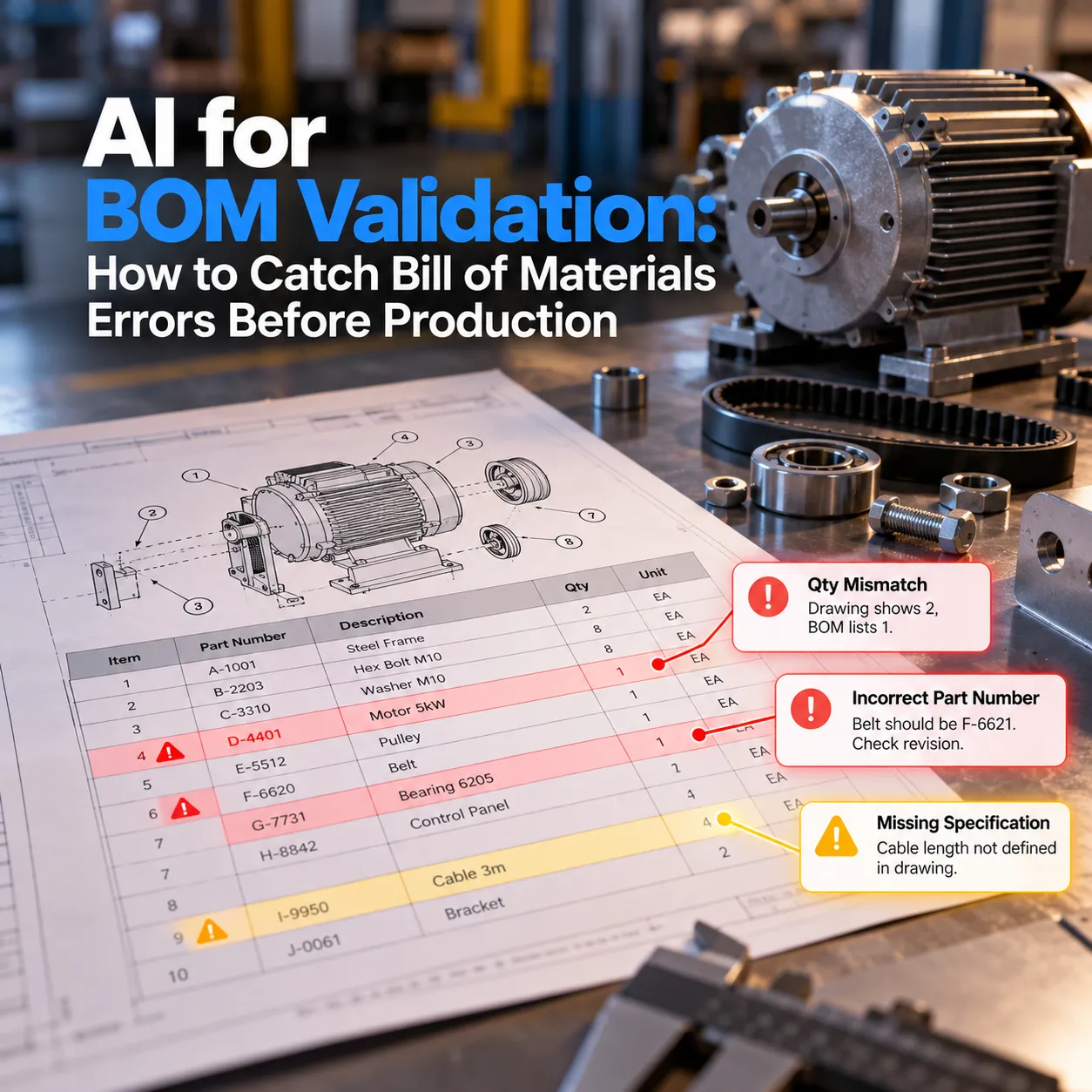
A production run goes wrong when the capacitor count is off: the BOM says 12, while the board has 11 reference designators. Engineering fixed the issue in CAD, but the revision never propagated to ERP, leading to purchase orders based on outdated data. This illustrates the core challenge of BOM validation: ensuring accuracy before production begins.
What Is BOM Validation?
BOM validation is the process of checking a bill of materials for errors and gaps before it is released for purchasing, costing, quoting, or production. A validated BOM has a correct and unique part number on every line, the right quantities, a complete structure, valid manufacturer data for purchased parts, and a revision that matches the current design.
What counts as "valid" depends on what the BOM is about to be used for:
- Before engineering release: structure, part numbers, quantities, and revision alignment with CAD
- Before purchasing: manufacturer part numbers, approved vendors, lead times, and approved alternates
- Before costing or quoting: cost data on every line and flags on high-cost or missing-price components
- Before production: EBOM changes carried correctly into the manufacturing BOM the floor builds from
This is why BOM validation is never one universal checklist. Each downstream use has its own definition of "ready," and each company layers its own rules on top.
The Bill of Materials Errors That Cause the Most Damage
| Error | What it looks like | What it breaks downstream |
|---|---|---|
| EBOM and MBOM out of sync | Engineering revises the design BOM, production keeps building from an older copy | Parts built to the wrong spec, scrap, rework |
| Duplicate part identities | The same 1K 0603 resistor exists under three ERP codes from different manufacturers or repeat entry | Split inventory, duplicate purchasing, inaccurate costing |
| Quantity and reference designator mismatch | BOM quantity says 12, designator list shows 11 | Shortages at assembly or excess stock |
| Missing or invalid MPNs | Blank manufacturer part number, typos, or distributor SKUs in place of MPNs | Procurement quotes parts that don't exist under that number |
| Lifecycle risk | Components flagged NRND, EOL, or in a last-time-buy window | Redesign pressure, broker sourcing, counterfeit exposure |
| Structural errors | Circular references, loops, orphaned subassemblies | ERP and MRP can't process the item |
| Compliance gaps | Missing RoHS or REACH data on purchased parts | Shipment holds, customer rejections |
The EBOM-to-MBOM gap deserves extra attention. Engineering organizes the BOM around CAD assembly logic. Manufacturing often needs a different structure built around build sequence, workstations, kitting, or outsourced subassemblies. When the two drift apart, the confusion shows up in ERP planning and on the shop floor, and it rarely gets traced back to the BOM that caused it.
Why Manual BOM Review Misses These Errors
Manual review fails for predictable reasons, and none of them are about competence:
- Excel is still the system of record for many teams: BOMs get copied between versions, and every copy-paste is a chance to drop a line or carry an old value forward
- Handoffs lose information: CAD to PLM to ERP to purchasing is four chances for a revision not to propagate
- The rules live in someone's head: "we never use that connector family" or "this part needs a second source" is often tribal knowledge, not a written check
- Scale defeats attention: a 40-line BOM gets reviewed carefully, a 1,200-line BOM with AVL alternates gets skimmed
- Customer BOMs arrive dirty: EMS quoting teams receive files with manufacturer and part number crammed into one cell, name variants like Xilinx listed after the AMD acquisition, and no consistent column format
What AI Checks in a BOM Validation Workflow
Messy BOM ingestion and column mapping
AI reads BOMs in whatever format they arrive, detects which column holds the part number, quantity, manufacturer, and description, and splits combined fields apart. This removes the hours of reformatting that happen before any real validation starts, especially on customer-supplied BOMs.
MPN matching and manufacturer normalization
Every purchased part gets matched against distributor and manufacturer data sources such as Octopart or DigiKey. AI handles the fuzzy cases rules struggle with: typos, missing suffixes, distributor SKUs entered as MPNs, and manufacturer names that changed through mergers. When an AVL lists several MPNs per line, each alternate gets matched, not just the primary.
Duplicate part detection across your item master
This is where AI adds the most over rules. Two items with different part numbers, different manufacturers, and slightly different descriptions can be the same electrical part. AI compares parameters and descriptions to flag likely duplicates, like the same resistor value, package, and tolerance living under three internal codes.
Lifecycle, availability, and compliance screening
Each matched part is checked for lifecycle status (Active, NRND, EOL, last-time-buy), current stock, and RoHS or REACH data. Parts at risk get flagged before procurement commits, when a substitution is still a design decision instead of an emergency.
Revision comparison between EBOM, MBOM, and ERP
AI compares BOM versions across systems and highlights what changed: added lines, removed lines, quantity changes, and swapped parts. The output is a clear diff an engineer can review, instead of two spreadsheets side by side.
Free-text description checks
Descriptions often carry information the structured fields don't, such as "use 5% tolerance only" or a package note that contradicts the MPN. AI reads those descriptions and flags conflicts between the text and the part data.
Which BOM Checks Need Rules and Which Need AI
Not every check benefits from AI. Many are deterministic and should run as plain rules because rules are faster, cheaper, and always explainable. Getting this split right is most of what separates a validation system engineers trust from one they ignore.
| Check | Best handled by | Why |
|---|---|---|
| Quantity vs reference designator count | Rules | Exact math, no ambiguity |
| Circular references and loops | Rules | Structural logic |
| Missing required fields | Rules | Simple presence check |
| Part number format compliance | Rules | Pattern matching |
| Messy MPN matching and typo correction | AI | Fuzzy, ambiguous input |
| Duplicate parts under different codes | AI | Requires comparing meaning, not strings |
| Manufacturer name normalization | AI with a reference list | Variants and mergers change over time |
| Description vs part data conflicts | AI | Reading free text |
| Lifecycle and compliance status | Live data lookup | Depends on current supplier data, not inference |
A reliable BOM validation system combines all three: a rule engine for the deterministic checks, AI for the ambiguous ones, and live data connections for lifecycle and availability. Systems that push everything through AI get slower, less explainable results. Systems that use only rules miss the duplicates and messy matches that cause the most expensive errors.
BOM Validation for Electronics vs. Mechanical Manufacturing
| Electronics and EMS | Mechanical and OEM | |
|---|---|---|
| Main pain point | Dirty customer BOMs before quoting | EBOM to MBOM drift before production |
| Critical checks | MPN matching, AVL alternates, lifecycle, designator counts | Structure, revision alignment, part identity, ERP readiness |
| Key data sources | Distributor and component databases | CAD, PLM, and ERP item masters |
| Common failure | Quoting or buying parts that are obsolete or don't exist | Building from an outdated revision |
Many manufacturers deal with both, especially those producing assemblies that combine a PCB with mechanical enclosures and harnesses. A validation system has to be built around the mix you have, not one side of it.
What Still Needs an Engineer's Sign-Off
AI flags issues. People decide what to do about them:
- Approving substitutions: a part can match electrically and still be wrong for the footprint, thermal envelope, or qualification requirements
- Resolving flagged duplicates: merging two item codes affects inventory, open orders, and history, so it needs a person who understands the consequences
- Structuring the MBOM: how to break an assembly into kits, workstations, or outsourced subassemblies is a manufacturing decision, not a data check
- Final release: someone accountable confirms the BOM is ready for its next use, and that decision should be recorded
A good system makes these decisions faster by putting the right evidence in front of the right person. It doesn't remove them.
Signs Your Team Needs Automated BOM Validation
If three or more of these are true, BOM errors are already costing you more than a validation system would:
- ECOs regularly trace back to a BOM line nobody caught before release
- Purchasing sends BOMs back to engineering for missing or invalid MPNs
- The same component shows up under multiple internal part numbers
- Your team rebuilds customer BOMs by hand before every quote
- One or two senior engineers are the only people who know which parts to avoid
- Production has built to an outdated revision at least once in the past year
- Lifecycle issues surface at purchasing instead of during design
What a BOM Validation Engagement With Octopus Builds Looks Like
Every manufacturer's validation rules are different, so the system is built around yours rather than forcing your team into a generic checklist.
| Phase | What happens | What you get |
|---|---|---|
| 1. Error audit | We review recent ECOs, scrap reports, and purchasing corrections with your team | A ranked list of the BOM errors costing you the most |
| 2. Rule capture | We sit with your engineers and turn tribal knowledge into written, testable checks | Your company-specific validation rules, documented |
| 3. Rule engine first | Deterministic checks go live against real BOMs | Fast wins your engineers can verify line by line |
| 4. AI layer | MPN matching, duplicate detection, and messy BOM ingestion tuned to your data | Coverage for the errors rules can't catch |
| 5. System connections | Validation connects to your CAD, PLM, ERP, and component data sources | Checks run at every handoff, not as a separate step |
| 6. Sign-off workflow | Flagged issues route to the right engineer with the evidence attached | Faster decisions and a recorded review history |
Scoping takes about two weeks, and working software ships every two weeks after that, so your team sees validated BOMs early instead of waiting months for a finished system.
Stop Catching BOM Errors on the Shop Floor
The cost of a bad BOM is rarely the error itself. It's the wrong parts ordered, the build that has to stop, and the engineer pulled off design work to trace what went wrong. Most of those errors were visible in the data before release. They just weren't checked.
Octopus Builds designs BOM validation systems that combine a rule engine, AI for the ambiguous checks, and live connections to your ERP and component data, with engineering sign-off built into the workflow.
If BOM errors keep reaching purchasing or the shop floor before anyone catches them, schedule a call with Octopus Builds.
Build with Octopus Builds
Need help turning the article into an actual system?
We design the operating model, product surface, and delivery plan behind AI systems that need to ship cleanly and keep working in production.